Two-sided pattern
Draw one pattern, the cube turns, draw a second. Together they become your encryption key.
VaultLocker encrypts your photos, videos and notes on your iPhone and opens them with a two-sided pattern only you know. No sign-up, no email, no servers.
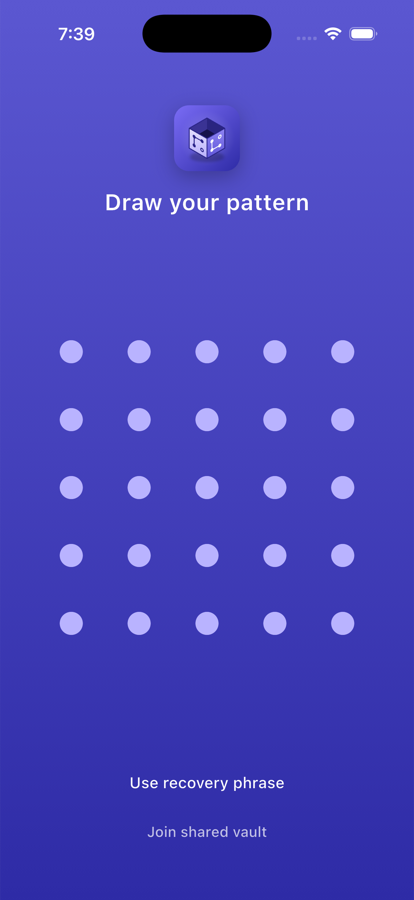
VaultLocker is a private vault for the things that shouldn't sit in your camera roll. Everything is encrypted before it's saved, and nobody else holds a key, including us.
Hiding a file isn't the same as protecting it. VaultLocker encrypts every item so it's unreadable without your pattern.
Draw one pattern, the cube turns, draw a second. Together they become your encryption key.
Each vault gets a 12-word phrase. Forget your pattern and the phrase lets you back in.
Any pattern opens a vault. Nobody watching can tell how many you have, or whether there are any.
Forced to unlock? One pattern opens a decoy vault and silently wipes the others.
Backs up to your own iCloud Drive, encrypted first. Only your recovery phrase can restore it.
Take photos and videos straight into a vault. They never touch your camera roll.
Send an encrypted copy of a vault with a one-time phrase. Only the person with both can open it.
Keep a vault in step across your own phones, with changes merged in both directions.
Swap the icon for an everyday one like Calculator or Measure, so it blends into your home screen.
Connect at least four dots on each side of the cube. Write down the recovery phrase it gives you.
Import photos, videos and documents, write notes, or shoot new ones with the private camera.
Close the app and it's locked. Optionally delete the originals from your photo library.
Encryption happens on your iPhone before anything is written to disk. There's no server to breach and no reset link to phish.
// what protects a VaultLocker vault
const vault = {
  cipher:     "AES-256-GCM",
  kdf:        "PBKDF2-HMAC-SHA256",
  iterations: 210_000,
  salt:       "per-device, in Keychain",
  recovery:   "12-word phrase",
  account:    null,  // none needed
  server:     null,  // none exists
  backdoor:   null,  // none built
};
Most vault apps assume the only threat is someone guessing your code. Real life is messier: a partner, a border check, someone standing over your shoulder.
With VaultLocker, the pattern you draw decides which vault opens. A duress pattern opens something harmless and quietly removes the rest. There's nothing on screen to suggest anything else was ever there.
Download VaultLockerThe free version uses the same encryption as Pro. Pro lifts the limits and adds the extra protections.
Everything you need to get started.
Weekly, yearly or a one-time lifetime purchase.
Purchases are handled by Apple. Subscriptions can be cancelled anytime in Settings.
An iPhone app that keeps photos, videos, documents and notes in encrypted vaults, each opened by its own two-sided pattern.
No. There's no sign-up of any kind. Your pattern is the only thing that opens a vault.
Tap Use recovery phrase on the lock screen, enter the vault's 12-word phrase, and set a new pattern. Your files stay as they are.
No. Files are encrypted on your iPhone with a key derived from your pattern. We have no servers, and iCloud backups are encrypted before they're uploaded.
The vault can't be opened by anyone, including us. That's the trade-off of having no back door, so keep your phrase somewhere safe, away from your phone.
Every valid pattern opens a vault. If it isn't one you've set up, you see a fresh empty vault that's never saved unless you add something, so a wrong guess leaves no trace.
Turn on Encrypted Backup, then on the new phone choose Restore from iCloud backup and enter the vault's recovery phrase. Full steps are on the support page.
No. No analytics, no ads, no tracking. Read the privacy policy for the details.

Free to download. No account. Set up your first vault in under a minute.
Download on the App Store